Turning E-Invoicing into a Clear Mobile Workflow
Designing a secure, regulation-ready invoicing experience for freelancers and small businesses
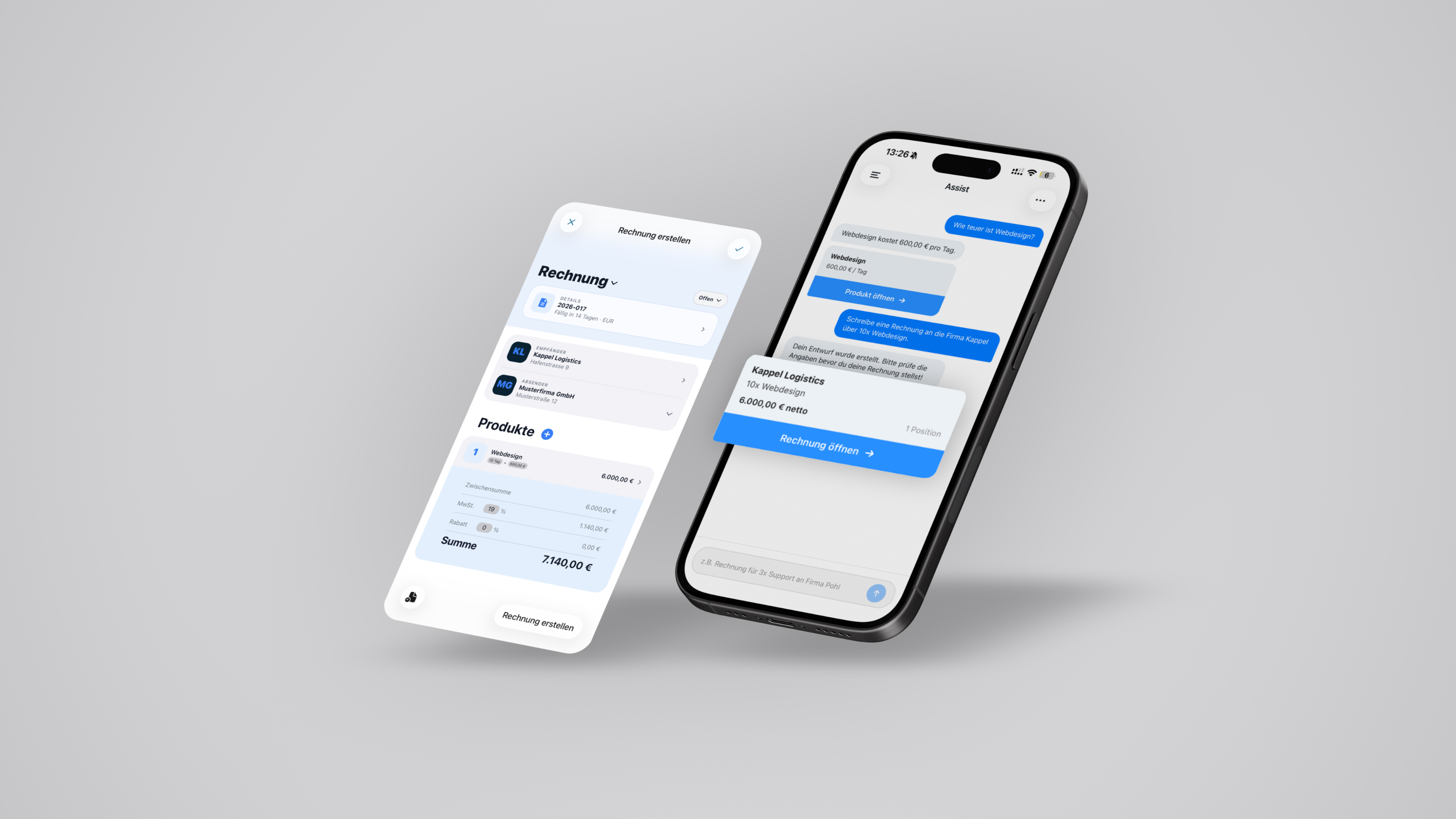
Creating invoices on a smartphone sounds simple, but in reality it is a risk-sensitive workflow. Freelancers and small businesses often create invoices quickly between meetings while navigating increasingly strict regulatory requirements. Since 2026, electronic invoicing has become mandatory for B2B transactions in Germany, turning what used to be a simple administrative task into a compliance-critical process. Poor UX in this context is not just inconvenient - it can lead to rejected invoices, delays in payment, or financial errors.
What users described during research was not frustration with fields or layouts, but uncertainty. They were unsure whether their invoice was correct, whether something important was missing, or why invoices were sometimes rejected.
Typical patterns emerged quickly:
- 01Required fields and validation logic were unclear
- 02Errors often appeared too late in the process
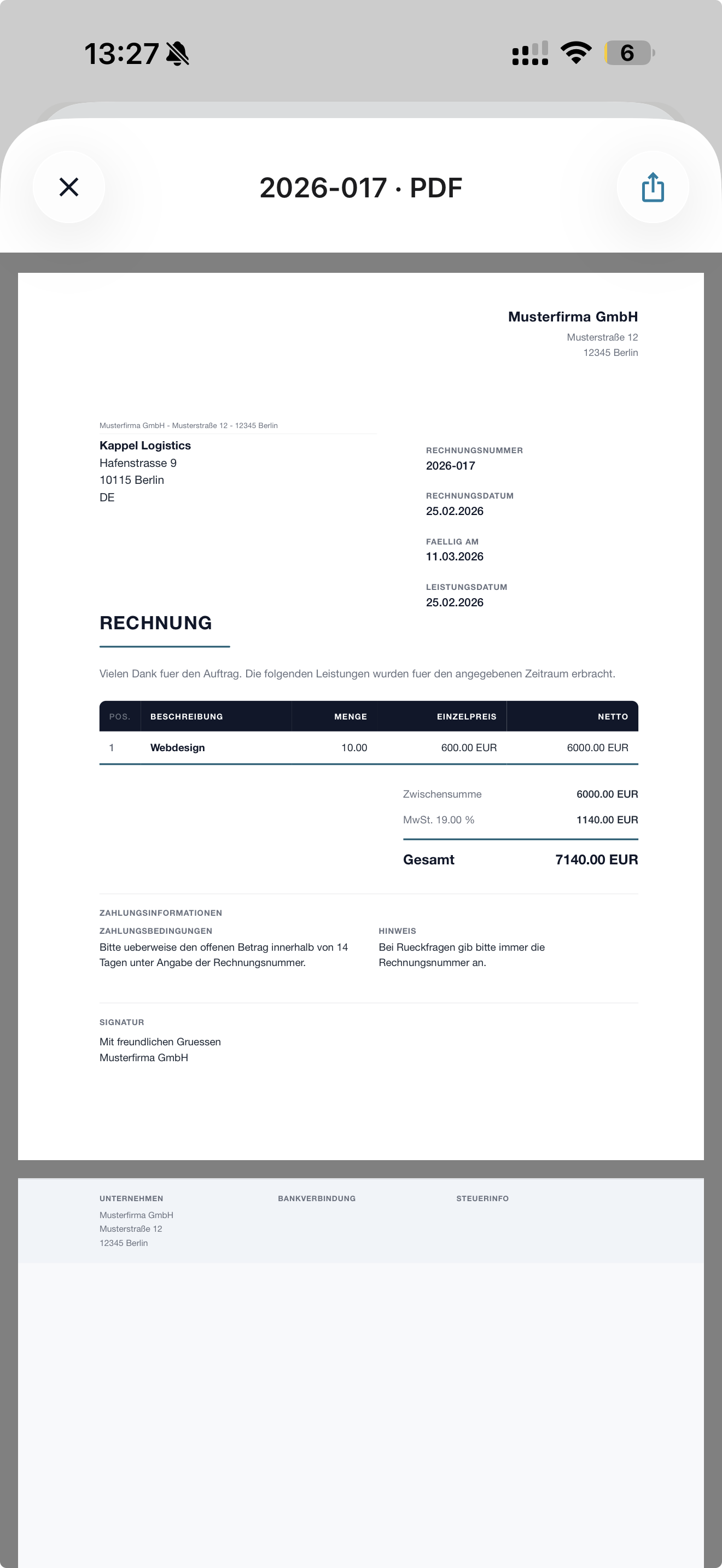
- 03Trust did not come from the data model — it came from the final PDF
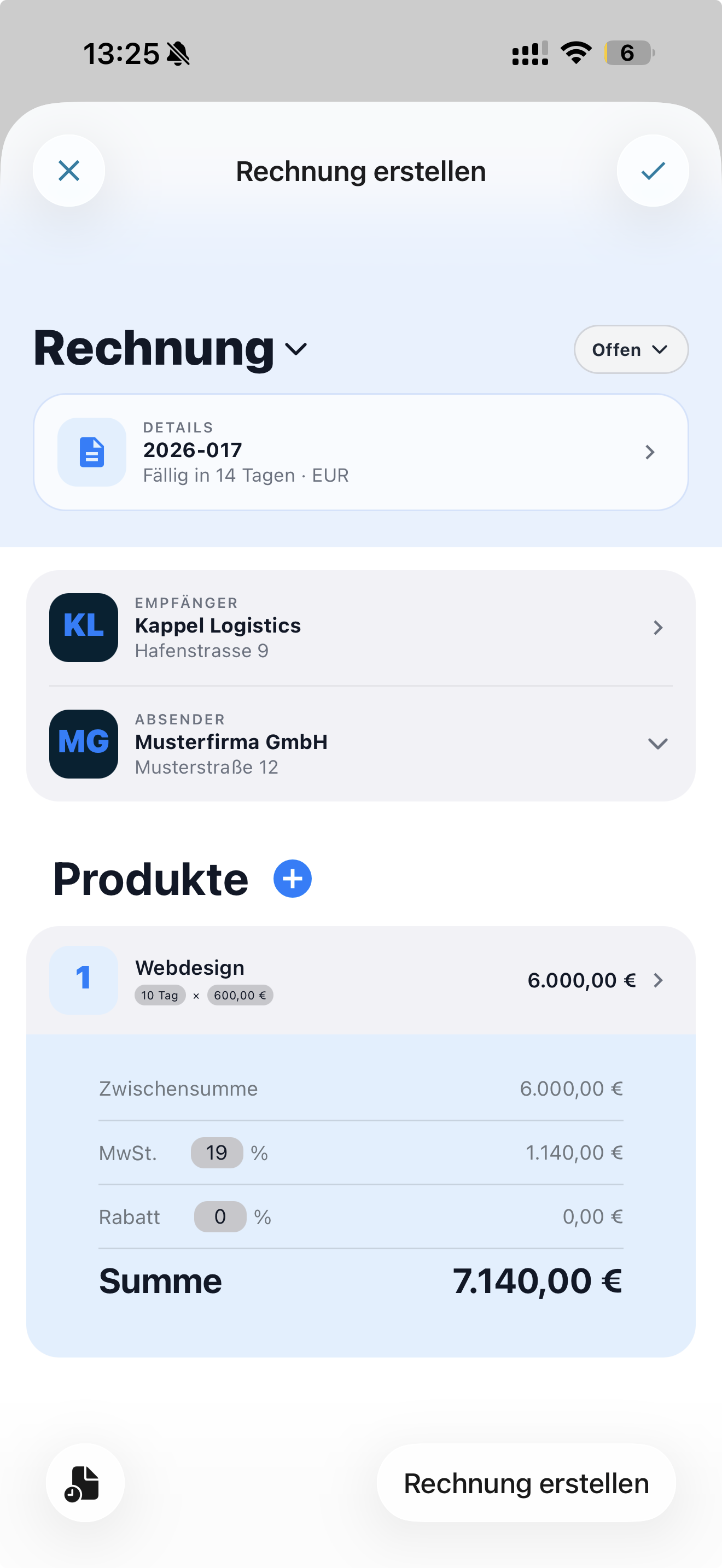
The product strategy focused on turning invoicing into a structured workflow rather than a long form. Validation was integrated early in the process, complex inputs were broken into focused steps, and the interface provided continuous feedback about status and correctness.
Instead of presenting all information at once, the system progressively reveals decisions as they become relevant. This reduces cognitive load while still allowing users to maintain control over the process.
The central question was: how do you translate regulatory complexity into clear decision spaces without overwhelming or micromanaging users? The answer lay in the interplay of early validation, progressive disclosure, and trust through transparency.
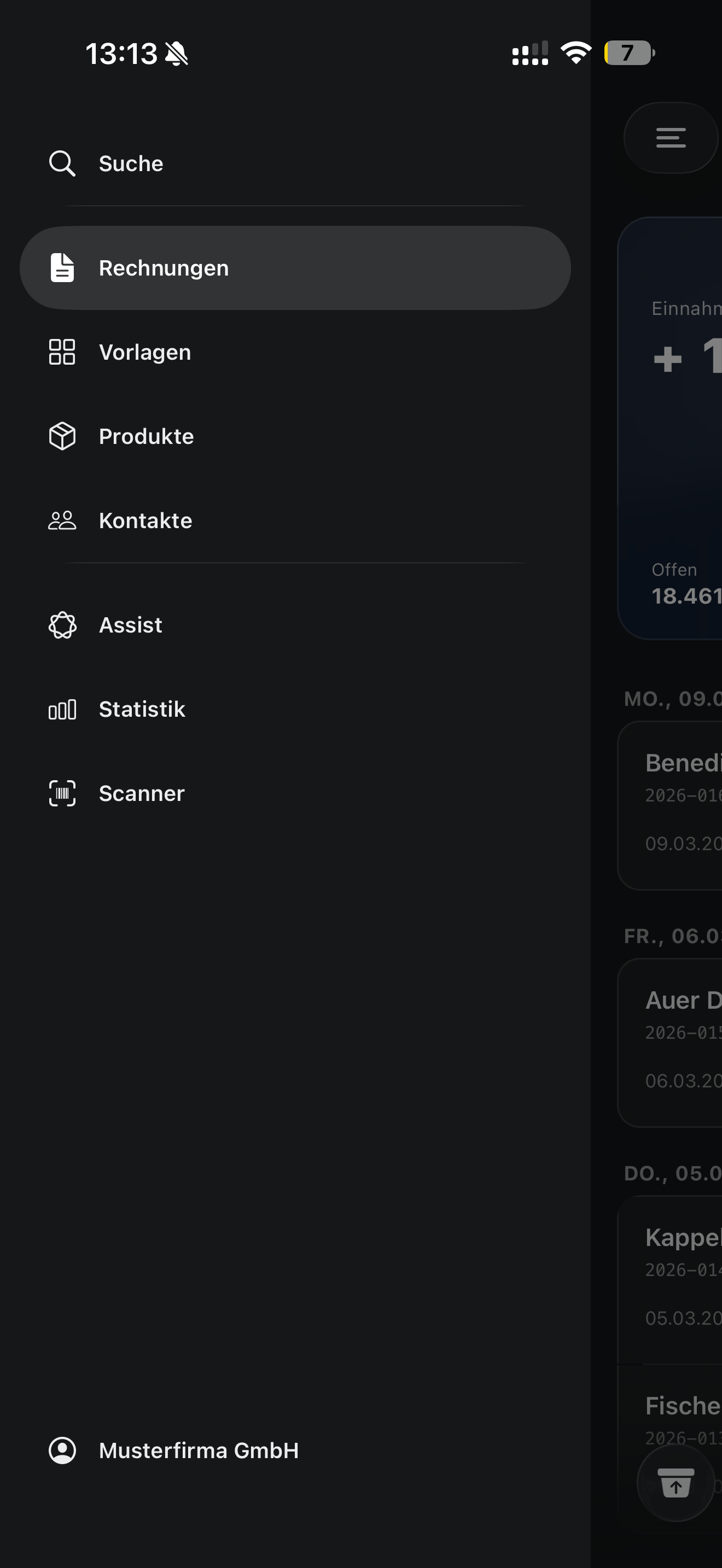
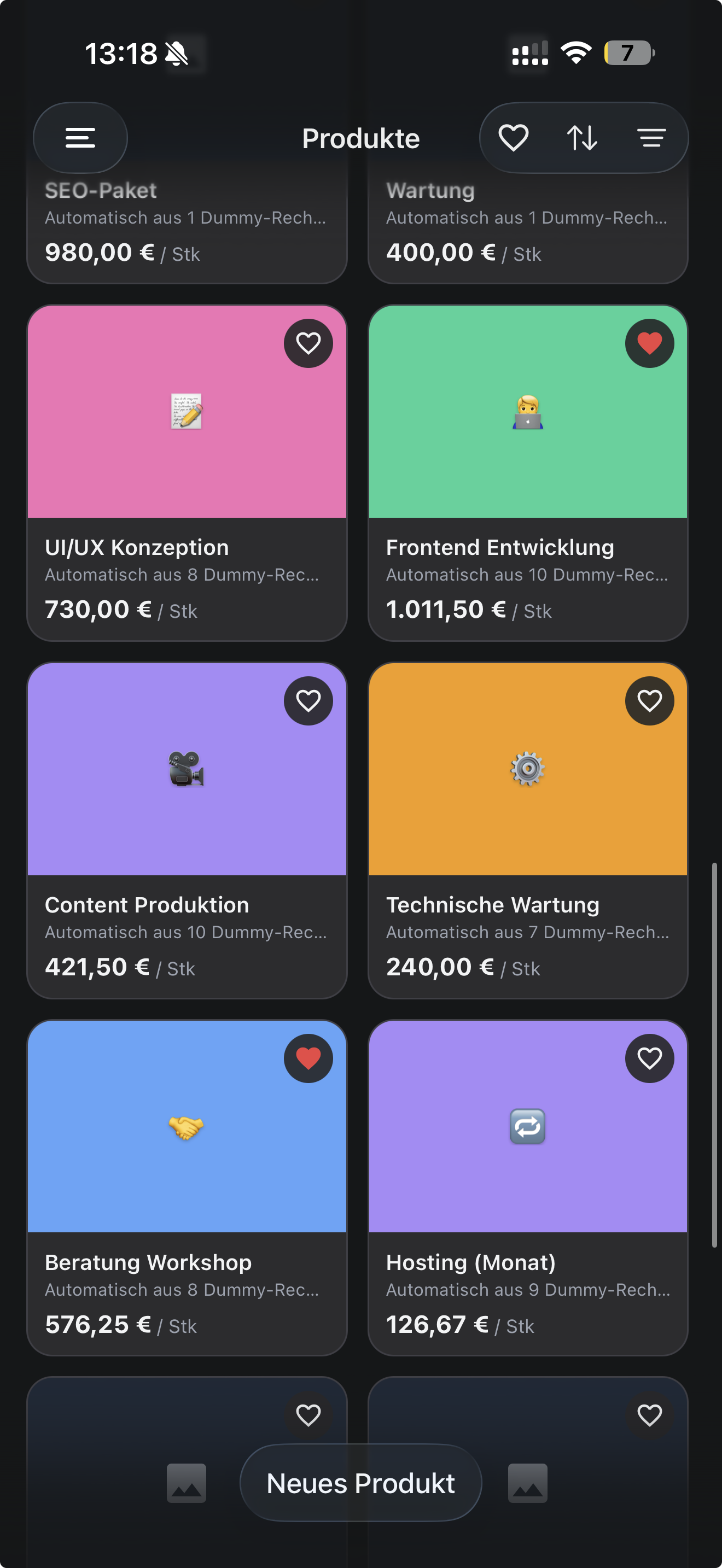
The navigation was designed as a productive workspace rather than a traditional app menu. Users can move between invoices, templates, contacts and products, while the invoicing flow itself remains modular and consistent.
- 01Select or create the invoice recipient
- 02Add line items manually or from saved products
- 03Define details such as dates, currency and invoice numbers
- 04Attach text blocks or supporting documents
- 05Manage the process state (offer, invoice, reminder, cancellation)
- 06Generate, review and export the final PDF
The core design challenge was translating regulatory complexity into understandable steps without overwhelming the user. Early validation, progressive disclosure and clear status indicators work together to create transparency throughout the process.
Rather than hiding complexity, the interface segments it into manageable decisions. This approach allows users to maintain confidence that their invoice is complete and compliant before sending it.
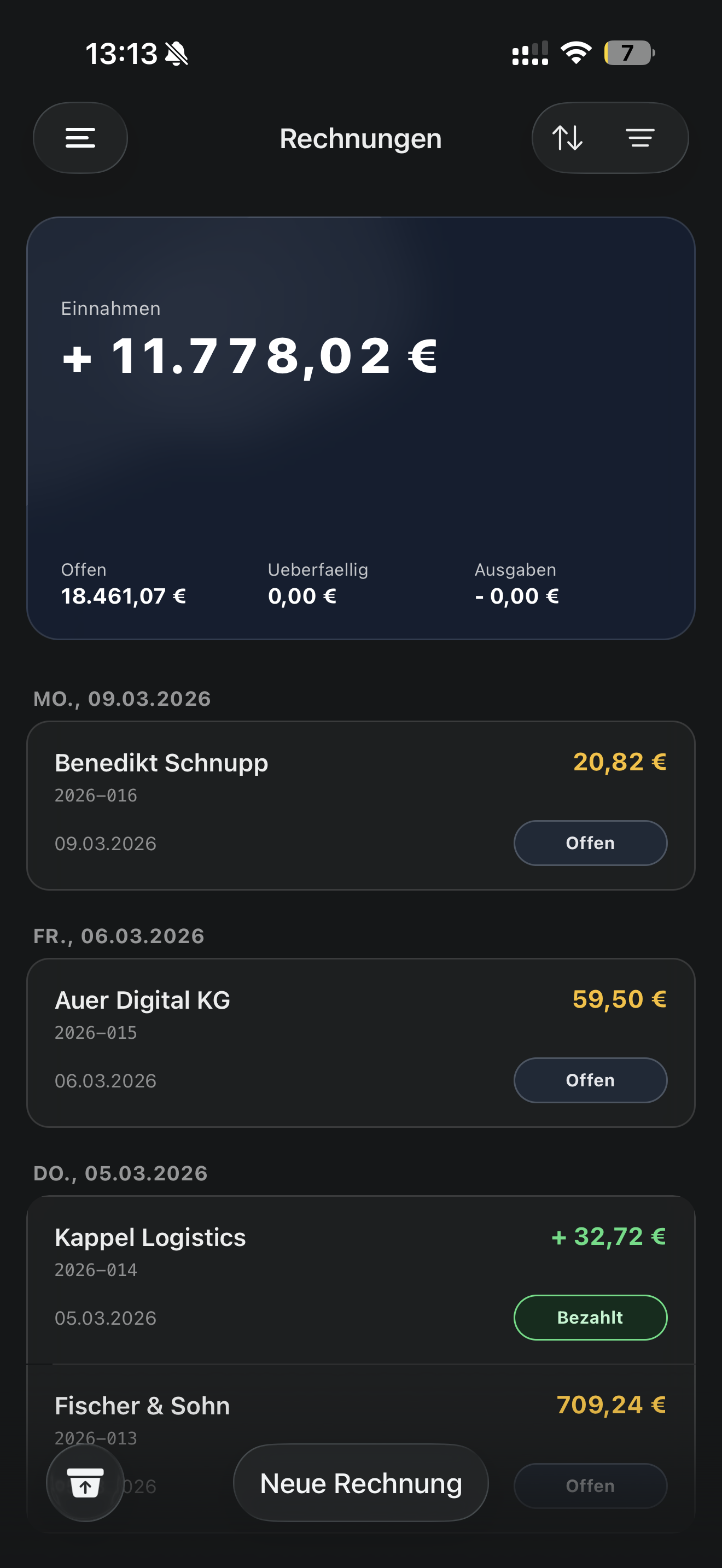
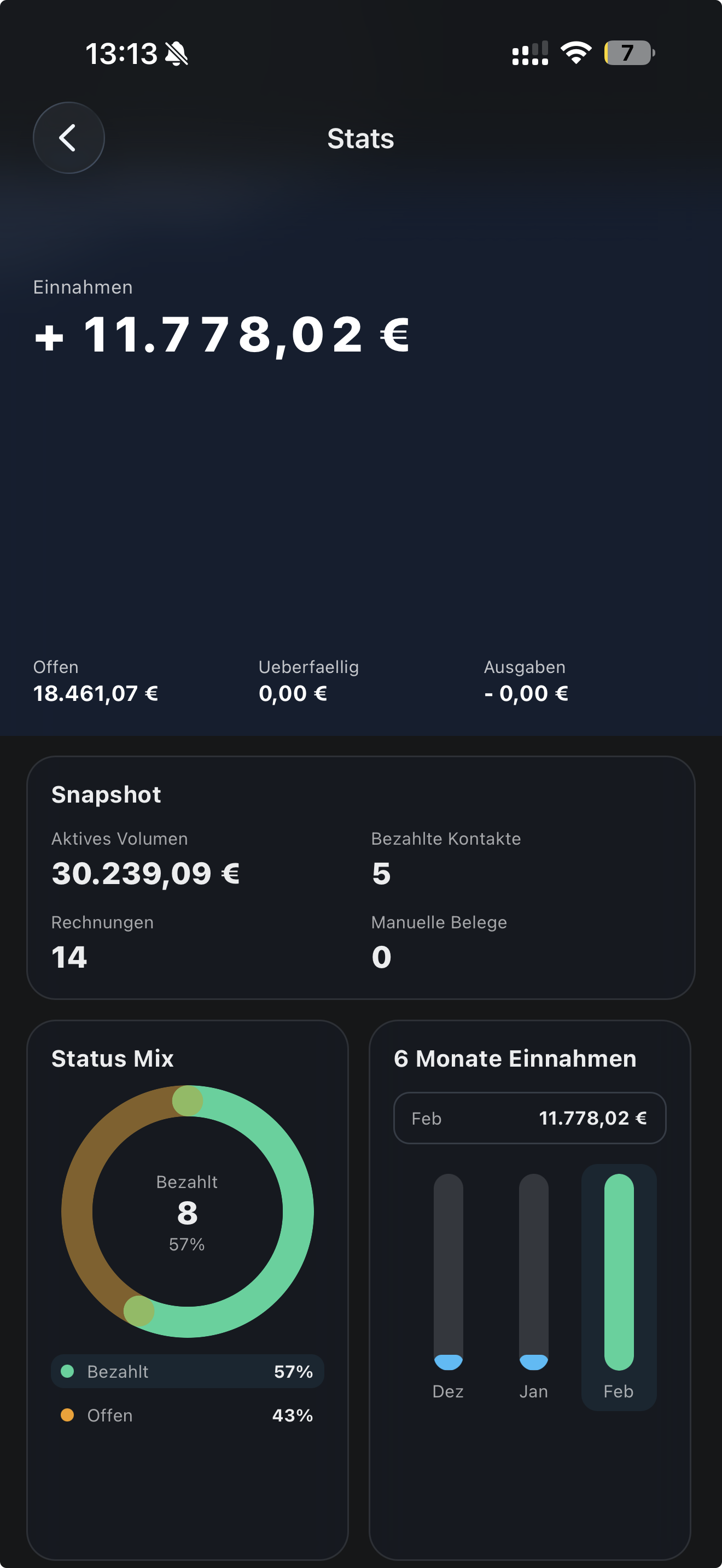
Rechnungen+ provides a mobile end-to-end workflow from data entry to export-ready e-invoice. The product focuses on clarity in regulation-heavy steps, trust through transparent status handling and efficiency through reusable structures such as templates and product catalogs.
The key lesson from this project is simple: in complex domains, good UX does not remove complexity: it organizes it into decisions users can confidently make.